|
|
|
|
|
First click HERE to download the JoinMe
utility OR goto https://join.me and click on
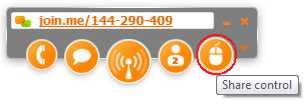
the SHARE button. Run the downloaded Join.me.exe file You will get the following on the top of your screen. You will then need to provide Anadrac Services with the session number. In the example above, its 144-290-409. When Anadrac Services connects to your session the mouse button will light
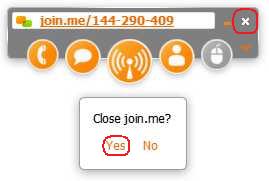
up. Click on the mouse button to share control of your computer. After the maintenance is complete, don't forget to close the session. |
|
|


 To allow
Anadrac Services to remotely control your computer, you will need to download
and install the Join.Me utility.
To allow
Anadrac Services to remotely control your computer, you will need to download
and install the Join.Me utility.